Your Google Business Profile is no longer just a local listing. It is one of the primary data sources AI search engines use when they decide which businesses to recommend. When a customer asks ChatGPT for "a reliable plumber in Manchester" or Perplexity for "the best accountant in Bristol," the answer traces back directly or indirectly to structured data Google already holds about you. A complete profile with an active review engine behind it is now AI infrastructure, not a marketing nice-to-have.
According to Agency Jet's 2026 GBP guide, Google's AI features including Gemini-powered "Ask Maps" and AI Overviews now pull directly from verified GBP data to generate answers. ChatGPT and Perplexity cross-reference those same knowledge systems. That makes two things true at once: optimizing your profile fields is only half the job, and collecting reviews is no longer a reputation task it is an AI visibility task.
This guide covers both halves in one place: how to structure your profile so AI engines can parse it, and how to build a review engine that feeds the trust signals AI models actually evaluate.
Key Takeaways
- Google's AI features including Gemini-powered "Ask Maps" and AI Overviews pull directly from verified Google Business Profile data. ChatGPT and Perplexity cross-reference the same knowledge systems, making your GBP a primary AI data source.
- 97% of consumers read online reviews for local businesses (BrightLocal), and AI engines now synthesize that same review data to form their own brand assessments.
- A 4.5-star average with 20+ recent reviews and visible owner responses outperforms a perfect 5.0 score. Spiegel Research Center found that ratings between 4.0 and 4.7 actually convert better than a flawless 5.0, and AI engines apply similar suspicion filters to too-perfect profiles.
- Review requests sent at the moment of a positive outcome convert far better than delayed follow-ups. The longer the gap between the experience and the ask, the steeper the drop-off.
- SMS review requests have an open rate of around 98% versus roughly 20% for email (Textline), but the highest-volume systems combine in-person asks with automated SMS and email follow-ups.
- Review velocity the rate of new reviews over time matters as much as average rating. AI models prioritize businesses with recent, consistent activity over those with static profiles.
- Missing GBP attributes make your business invisible to specific AI queries like "coffee shops with outdoor seating near me," regardless of rating or review count.
Why Your Google Business Profile Is Now AI Infrastructure
AI search engines do not rank results in the traditional sense. They assemble answers by pulling signals from structured sources, verifying those signals across multiple places, and synthesizing what they find. Google Business Profile sits inside the most heavily verified layer of that pipeline: Google's own knowledge graph, Maps data, and local knowledge panels.
When a user asks ChatGPT "best sourdough bakery in Islington" or Gemini "family-friendly restaurant with parking near downtown," those platforms evaluate trust signals across the web but a disproportionate share of the signal comes from Google's own verified local data. Review volume, recency, sentiment, categories, attributes, and response patterns all factor in. Averi's 2026 analysis of 680 million citations across ChatGPT, Perplexity, and Google AI Mode found that only 11% of domains are cited by both ChatGPT and Perplexity, with each engine pulling from largely distinct source ecosystems. Consistent, verified entity data and strong review profiles are what carry a business across multiple AI engines at once.
The practical implication is that GBP work and review work are no longer separate tracks. A profile with 50 empty attribute fields and 12 reviews from two years ago will lose every AI recommendation to a competitor with a complete profile and a steady review cadence even if both sites have identical content.
Part 1: Make Your Profile a Complete, Consistent AI Data Source
Fill every field and make them match everywhere else
AI engines rely on verifiable, structured data. An incomplete profile is itself a signal that the business may not be reliable. Fill out every available field business name, address, phone number, website, hours, service areas, and business description and then verify that every piece matches your website, social profiles, and directory listings exactly. This is entity consistency across the web the same identity claim, made in the same way, in every place AI engines look.
This consistency matters because ChatGPT, Gemini, and Perplexity cross-reference multiple sources before citing a business. If your GBP says you close at 6pm but your website says 7pm, the AI may quietly pick a competitor with consistent data. Google's own systems penalize name discrepancies adding keywords to your business name can result in a suspended listing.
Write your business description to be information-dense and quotable. "We provide top-quality service" tells AI engines nothing. "We serve 500+ commercial clients across Greater London with same-day HVAC repair and installation" gives them a specific, citable fact they can extract and reuse verbatim.
Post updates and photos at least twice a week
Posting frequency is now a top-tier ranking signal. Businesses that go more than 30 days without posting an update or photo experience measurable drops in GBP impressions. Regular activity signals to both Google and AI systems that the business is active, current, and worth recommending.
Google's Vision AI scans uploaded photos to understand what your business actually does. A plumber who uploads a photo of a completed tankless water heater installation becomes more likely to surface for "water heater repair" queries even without that exact keyword in the text profile. This image-based understanding feeds directly into how AI engines categorize and recommend businesses.
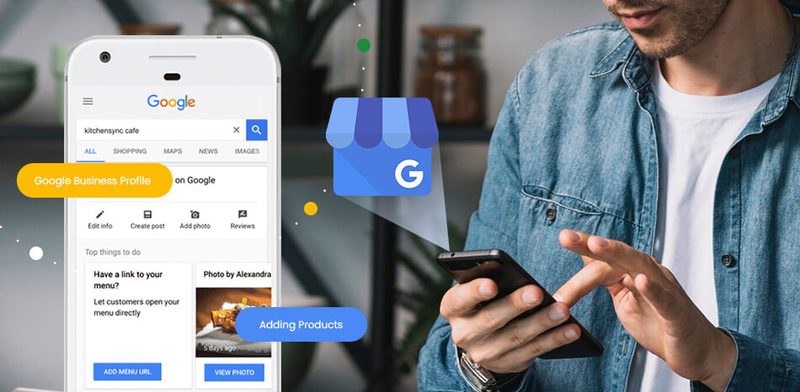
The practical cadence: two posts per week, alternating between project photos, customer stories, service updates, and seasonal tips. Each post is a fresh data point AI engines can reference when generating answers about your industry.
Select precise categories and attributes
Categories and attributes are the taxonomy AI engines use to match your business with user queries. In 2026, attributes have become critical because they directly answer AI search queries including voice and "near me" intent like "coffee shops with outdoor seating near me" or "accountants that offer virtual consultations."
Pick your primary category as the single most specific option that describes your core service. Add secondary categories for additional services. For attributes, complete every relevant option: payment methods, accessibility features, service options, amenities, and certifications. Each attribute is a structured data point AI engines can match against natural-language queries.
Missing attributes means missing visibility for the increasingly specific queries AI tools generate. If a user asks Perplexity for "a family-friendly restaurant with parking near downtown," the AI pulls from attributes not from your general description. Without those attributes set, your business is invisible to that query regardless of how well your food is reviewed.
Connect your profile to your website with schema
Your Google Business Profile does not operate in isolation. Google and by extension the AI engines that draw on Google's data cross-references your GBP with your website to verify claims and assess authority. Without a connected, consistent website, your GBP's prominence is effectively capped.
Implement LocalBusiness or Organization schema on your website that mirrors your GBP data exactly. Same business name, same address, same phone number, same hours, same service descriptions. This structured data creates a reinforcing signal AI engines interpret as verified, authoritative information and it sits alongside the other technical signals AI search engines evaluate when deciding whether to surface a business at all.
Add a dedicated contact or locations page with an embedded Google Map, and make sure your GBP links to your most relevant landing page not just your homepage. Bidirectional linking helps AI engines confirm your business identity and strengthens the structured data signals that determine whether you appear in AI-generated recommendations.
Part 2: Build a Review Engine AI Engines Trust
Reviews are the single strongest trust signal your business can control. A BrightLocal survey found that 97% of consumers read online reviews for local businesses, and AI tools now synthesize that same review data to form their own assessments. Businesses with more recent, higher-quality reviews get disproportionately more AI citations. A thin or stale review profile leads AI models to recommend competitors with stronger social proof.
What AI engines actually look for
The target is not a perfect 5.0 rating. Spiegel Research Center found that products rated between 4.0 and 4.7 stars actually outsell those with a perfect 5.0. Buyers (and AI engines) read flawless scores as suspicious. Aim for a 4.5-star average or higher with at least 20 recent reviews and visible owner responses.
Three dimensions matter more than the headline number:
- Volume enough reviews to be statistically credible (20+ as a floor).
- Recency review velocity. A business with 50 reviews from the last three months looks more trustworthy than one with 200 reviews from 2023.
- Response quality whether owners reply, how they handle negatives, and how specific their thanks are.
AI engines parse review content and business responses, using both to build a picture of service quality, responsiveness, and expertise. They also extract specific phrases. If multiple reviews mention "fast turnaround" or "transparent pricing," those phrases become part of how AI systems describe your business in their answers it is one of the most reliable ways to earn citations from AI engines without writing a single new piece of marketing copy. Your customers' words literally become your AI search profile.
Part 3: The Review Generation System
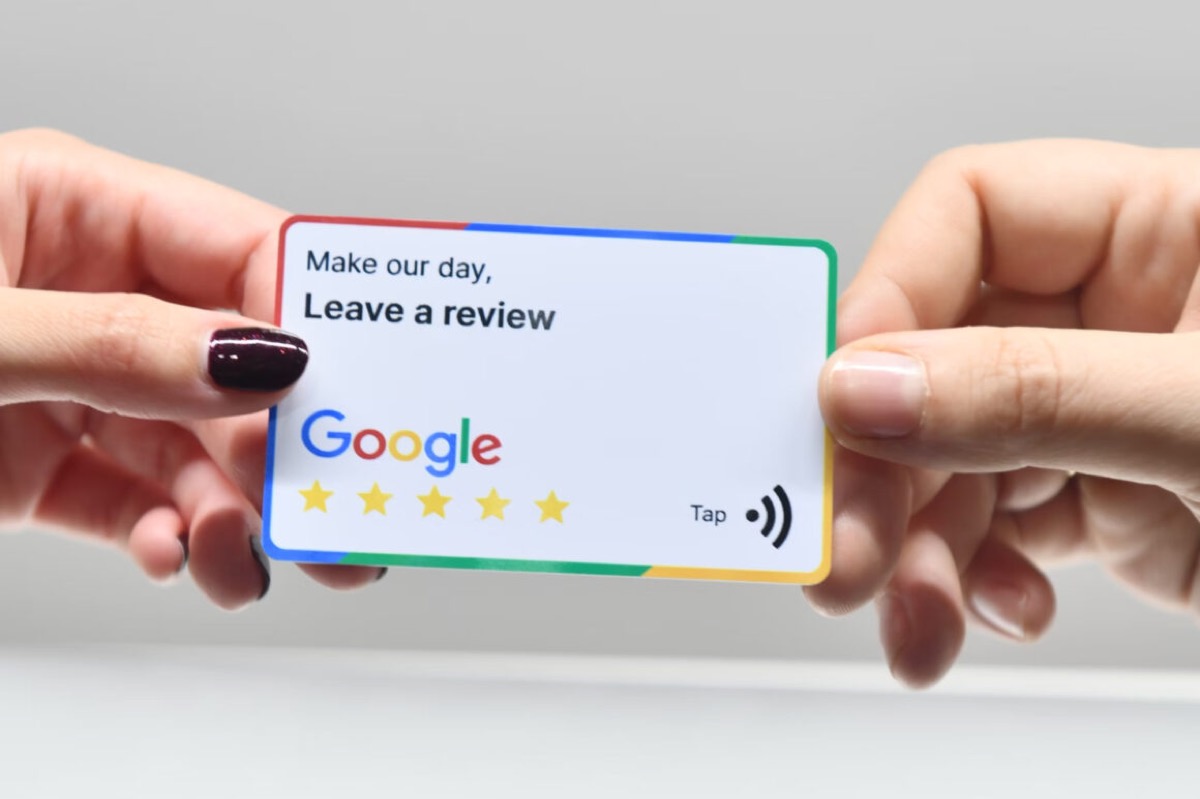
Most businesses leave review generation to chance. These seven tactics turn it into a repeatable system. Deploy them in order the first two alone will meaningfully move the needle in 30 days.
1. Create a short, shareable review link
The biggest barrier to getting reviews is friction. Google's default review URL is long and unmemorable. Create a short link that takes customers directly to the review form.
Go to your Google Business Profile, click "Ask for reviews," and copy the direct link. Shorten it with Bitly or your own custom domain. A link like yourbrand.com/review that redirects to your Google review form removes every excuse.
Put this link everywhere: email signatures, receipts, invoices, business cards, and your website footer. The easier you make it, the more reviews you get.
Email signature example:
Enjoyed working with us? Leave a quick Google review [your review link] it takes 30 seconds and helps others find us.
2. Ask at the peak moment of satisfaction
Timing determines conversion. The best moment to request a review is when the customer has just experienced a positive outcome the project is delivered, the meal was excellent, the issue is resolved. At that moment, satisfaction is at its highest and the effort of writing a review feels smallest.
The longer the gap between the experience and the ask, the lower the response rate. Within minutes, the customer is still anchored to the outcome and the review feels like a natural extension of the interaction. A day later, the emotional charge has faded, the specifics have blurred, and the request competes with everything else in the inbox.
What this looks like in practice:
- A contractor asks while walking through the completed renovation
- A dentist's receptionist asks as the patient checks out after a successful appointment
- An ecommerce brand triggers an automated email within 2 hours of delivery confirmation
The principle is simple: ask when the answer is obviously yes.
3. Send a follow-up email within 24 hours
Email remains a reliable review channel because it reaches customers at a moment when they can sit down and write. The key is sending while the experience is fresh.
Email template:
Subject: How was your experience with [Business Name]?
Hi [First Name],
Thank you for choosing [Business Name]. We hope [specific reference "your new kitchen looks great" / "your consultation was helpful"].
If you have a moment, we would genuinely appreciate a Google review. It helps other [customers/patients/clients] find us and tells us what we are doing right.
Leave a Review → [your review link]
Thank you, [Your Name]
Keep it short. One ask, one link, one paragraph of context. Long emails with multiple calls to action reduce follow-through.
4. Use SMS for the highest response rates
Textline reports that text messages average a 98% open rate and a 45% response rate, compared to 20% open and 6% response for email. That gap means SMS review requests pull in significantly more responses than the same ask sent by email.
SMS template:
Hi [Name], thanks for visiting [Business Name] today! If you have 30 seconds, a Google review would mean a lot: [short-review-link]. Thank you!
Keep SMS messages under 160 characters when possible. Send within a few hours of the interaction. Make sure you have explicit consent to text the customer unsolicited marketing texts violate regulations in most jurisdictions.
Layered with email, a simple two-step sequence runs itself: immediate SMS thank-you with the link, 24-hour email reminder if no review, 7-day gentle final ask. With those open- and response-rate gaps, the SMS stage typically collects the bulk of new reviews and the email reminders mop up the rest.
5. Add QR codes to physical touchpoints
For businesses with physical locations or in-person interactions, QR codes bridge the gap between the real world and your Google review form. Google also provides a downloadable QR code directly from the "Ask for reviews" dashboard.
Print QR codes on:
- Table tents or countertop signs
- Receipts and invoices
- Product packaging
- Service vehicle wraps or uniforms
- Thank-you cards included with orders
Each QR code should link to your shortened review URL. Customers scan, tap, and review no typing, no searching. Businesses that add QR codes to multiple touchpoints consistently see higher review volumes because they catch customers at different moments of satisfaction.
6. Train your team to ask in person
Your employees interact with happy customers every day. Most never ask for a review because nobody told them to. A simple script and clear expectations fix that instantly.
In-person script:
"I'm really glad we could help with [specific outcome]. If you have a moment later today, a Google review would really help other people find us I can text you the link right now if that's easier."
The keys are specificity (reference the outcome, not a generic "thanks for your business"), immediacy (offer to send the link now), and authenticity (a genuine ask, not a rehearsed pitch). Staff who understand why reviews matter and who see the direct impact on the business ask naturally and consistently.
Make review generation part of your team culture. Track it, celebrate wins, and share positive reviews with the team. Businesses that systematise in-person asks alongside digital follow-ups consistently see meaningful lifts in review volume within a quarter, because the same happy customer is now being asked through three or four different channels at the moment they're most likely to say yes.
7. Track review velocity, not just star rating
Most businesses obsess over average star rating while ignoring a more important metric: review velocity. Review velocity is the rate at which new reviews arrive over time. Google and AI systems both factor in recency.
Do not try to get 100 reviews in one day. Sudden spikes trigger Google's fraud detection systems and can result in reviews being removed or your profile being flagged. Aim for a steady, consistent flow. Set a monthly target based on your customer volume and track against it.
A healthy review velocity feeds AI engine trust signals. AI models prioritize businesses with recent, consistent review activity over those with static profiles. Your AI visibility is directly influenced by how active and current your digital presence looks and reviews are one of the strongest signals.
Part 4: Respond to Every Single Review
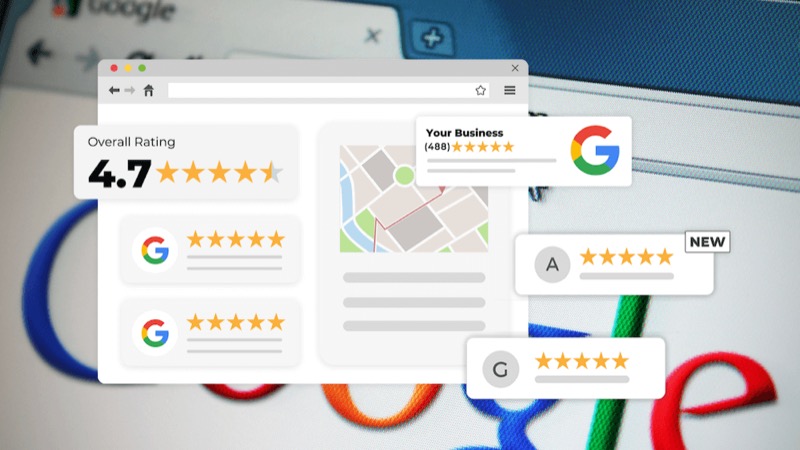
Responding to reviews is not just courtesy it is a ranking signal, a trust signal for AI engines, and a driver of more reviews through perceived reciprocity. When potential reviewers see that the business actively engages with feedback, they feel their review will be read. Google's own documentation lists responding to reviews as a way to improve local ranking, and a Harvard Business Review study of TripAdvisor hotels found that when properties started replying to reviews they received 12% more reviews and their average rating rose by 0.12 stars.
Positive reviews
Reply with genuine thanks and a specific detail. Generic copy-paste responses are worse than no response.
"Thank you, [Name] we're glad the [specific service] met your expectations. We appreciate you taking the time to share your experience."
Negative reviews
Respond professionally and constructively. Acknowledge, empathise, offer resolution. Never argue, never dismiss, never copy-paste.
"Thank you for this feedback, [Name]. We're sorry your experience didn't meet the standard we aim for. We'd like to make this right please reach out to [contact] so we can discuss this directly."
Google explicitly confirms that replying to reviews helps a business stand out in local search, and AI platforms that draw from Google's data inherit that signal directly. A thoughtful response to a negative review also influences how AI tools like ChatGPT assess brand trustworthiness the response is indexed text AI engines use to understand your tone, accountability, and customer service approach.
Respond to every review within 48 hours. Over time, the compounding effect is significant: better ratings, more reviews (because reciprocity drives participation), and stronger AI signals.
Part 5: The Compounding Advantage
There is a loop here that most businesses miss. Reviews improve your traditional search rankings, which improves your AI visibility, which drives more customers, which generates more reviews. A complete profile anchors all of it without accurate categories, attributes, and schema, the review signals have nothing to attach to.
The businesses winning in both traditional search and AI recommendations are the ones that treat review generation as a system, not an afterthought, and treat their GBP as structured data, not a brochure. Start with the two highest-impact moves a direct review link and asking at the peak moment then layer on automation, team training, and response discipline.
For a deeper look at how AI platforms evaluate trust signals across the wider web, read our guide on building trust for SEO in 2026. If you are focused on local visibility specifically, our local SEO in the AI era guide covers the full playbook GBP and reviews are part of a much larger strategy.
Start Measuring Your AI Visibility
Optimizing your Google Business Profile is one piece of the AI visibility puzzle. The signals that determine whether ChatGPT, Gemini, or Perplexity recommend your business extend beyond local search into structured data, content clarity, citation authority, and technical signals and the only way to know which AI engines name your business today is to measure AI brand presence directly.
Request a consultation for AI visibility research and see where your website stands across the checks AI engines actually evaluate, covering structured data validation, content clarity assessment, and technical signal analysis, plus citation testing across 9 AI platforms, competitive benchmarking, and a complete AI optimization roadmap that we then execute for you.
Frequently Asked Questions
Does my Google Business Profile affect whether AI platforms recommend my business?
Yes. Google's AI features, including Gemini-powered "Ask Maps" and AI Overviews, pull directly from verified GBP data. ChatGPT and Perplexity also cross-reference Google's knowledge systems when generating local recommendations, making your GBP a primary data source for AI-driven discovery.
How often should I post updates to my Google Business Profile?
At least twice per week. Businesses that go more than 30 days without posting an update or photo experience measurable drops in GBP impressions. Alternate between project photos, customer stories, service updates, and seasonal tips.
What star rating should I aim for on Google reviews?
Aim for a 4.5-star average or higher with at least 20 recent reviews. Spiegel Research Center found that ratings between 4.0 and 4.7 stars convert better than a perfect 5.0 flawless scores read as suspicious to both buyers and AI engines. Respond to every review AI engines parse both review content and business responses to assess trustworthiness.
When is the best time to ask a customer for a Google review?
Ask at the peak moment of satisfaction, while the customer is still anchored to the positive outcome. The longer the gap between the experience and the request, the lower the response rate emotional connection fades, details blur, and the ask feels like an interruption rather than a natural follow-up.
What is the most effective channel for requesting reviews?
According to Textline, SMS averages a 98% open rate and 45% response rate, compared to 20% open and 6% response for email so SMS pulls in significantly more responses than email. However, combining in-person asks with automated email and SMS follow-ups produces the highest overall volume.
What is review velocity and why does it matter?
Review velocity is the rate at which new reviews arrive over time. Google and AI systems both factor in recency a business with 50 reviews from the last three months looks more trustworthy than one with 200 reviews from two years ago. Aim for a steady, consistent flow rather than large spikes, as sudden surges trigger Google's fraud detection.
Should I respond to negative Google reviews?
Yes. Respond to every review positive and negative within 48 hours. A thoughtful response to a negative review demonstrates accountability, and Google confirms that businesses that respond to reviews are considered more trustworthy by both users and their algorithms. AI platforms inherit this trust signal.
Why do GBP attributes matter for AI search?
Attributes directly answer AI search queries like "accountants that offer virtual consultations" or "restaurants with outdoor seating." Without those attributes set, your business is invisible to those queries regardless of review quality or profile completeness.
Your Google Business Profile gets you found locally. Your review engine earns you the AI recommendations that increasingly decide where new customers go. Both work together and both are measurable. Request AI visibility research to see how your full web presence scores across the checks AI engines evaluate, then we fix what is holding that score down.